EasyCast
Posted: Fri Oct 23, 2026 9:27 pm
I’d like to share EasyCast, an addon for OctoWoW built around a simple idea: casting should feel natural and help you stay immersed in the world.
I wanted to spend more time watching the adventure unfold, with fewer trips down to my action bars—and keep the familiar WoW interface along the way. I do not want to add unitframes on purpose.
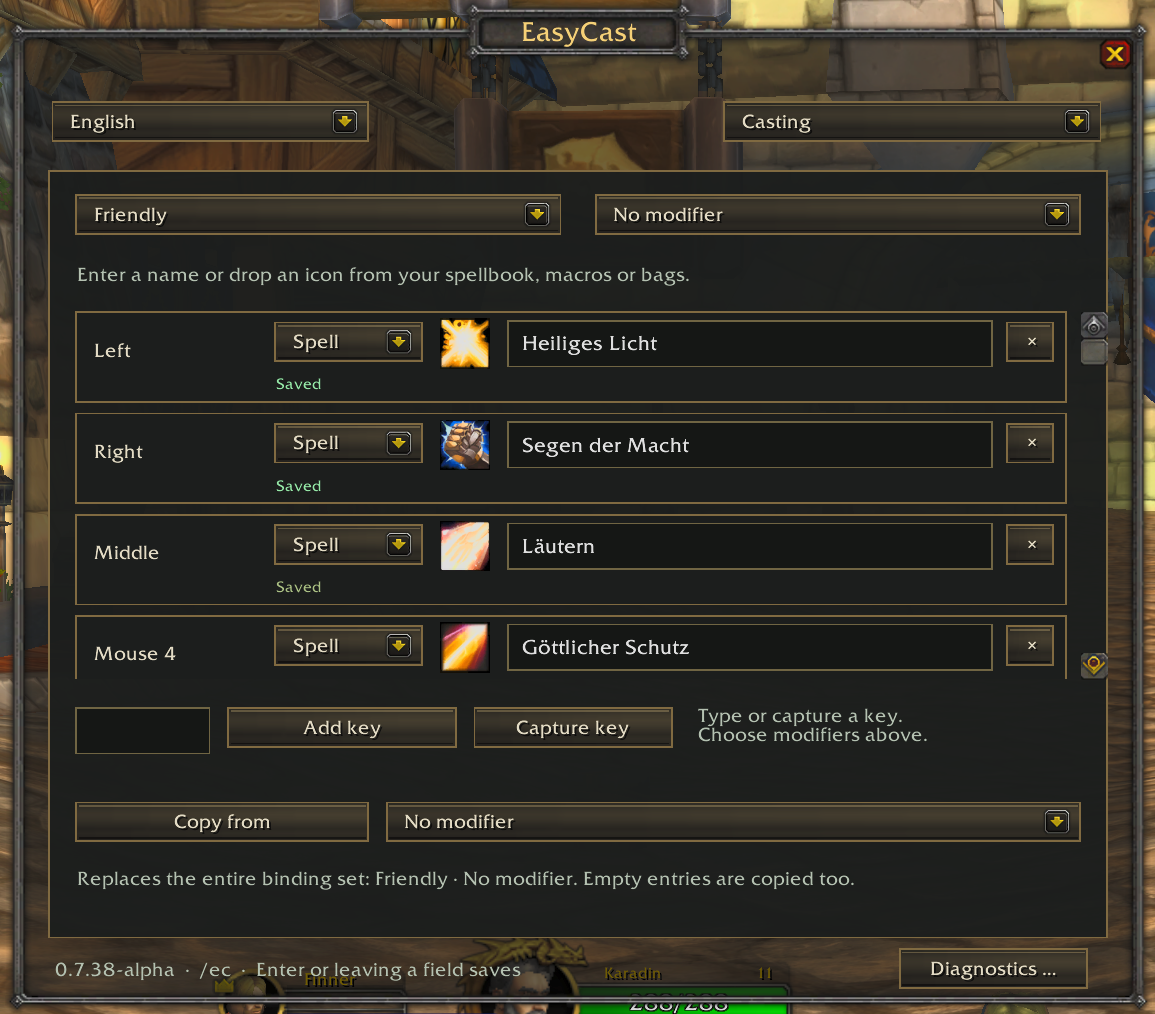
EasyCast lets you assign spells to mouse buttons, the mouse wheel, and keyboard bindings, with separate assignments for friendly and hostile targets. You can cast through your existing unit frames or enable world casting to bring those controls into the action.
A few highlights:
- Keep your existing unit frames—no replacement party UI required.
- Flexible bindings, including Shift, Ctrl, and Alt combinations.
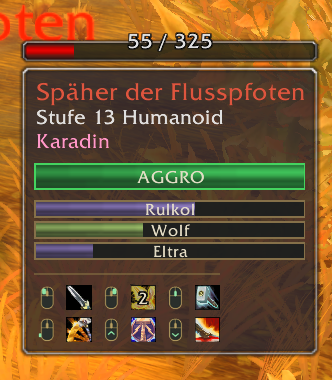
- Configurable spell tooltips, displayed separately or integrated into the WoW tooltip, with cooldowns and range indicators.
- Self-cast and bypass modifiers, so you can heal yourself or temporarily use normal mouse interactions.
- Profiles for saving different setups.
There’s plenty of flexibility, but finding your favourite setup takes a little experimentation. Start with a few frequently used spells, try them while playing, and build from there. You decide how much of your mouse control EasyCast takes over.
My recommendation: Start slowly. Decide: Do you want to press a key like ctrl for interacting (ie. right-click) with friendly shop NPCs or do you want to press ctrl whenever you want to cast on any friendly. Press "P" to open your spellbook and drag and drop spells into the EasyCast configuration.
Download and installation instructions:
https://github.com/edwinvancleef577/easycast
Feedback is very welcome. Tell me what feels good, what gets in your way, and what you find confusing. If something goes wrong, a short description of your setup and how to reproduce it would be a big help.
And if you’d like to do me a particularly big favour: make a video about EasyCast! A quick demonstration, an honest review, or simply showing how you use it would mean a lot. I am no YouTuber - but I guess a tutorial would help. I know...
Have fun experimenting, and thanks for giving it a try!
— VanCleef
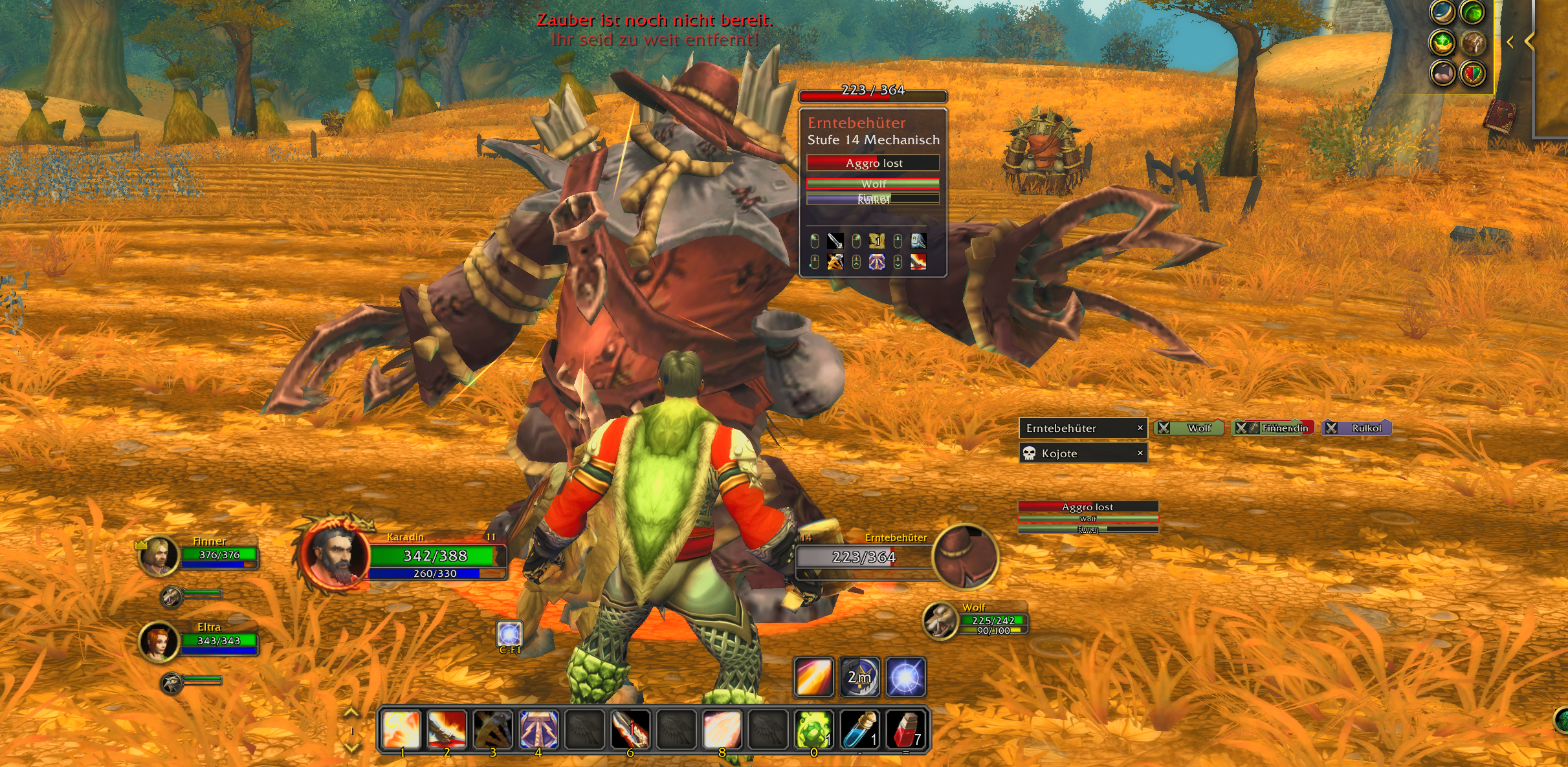
I wanted to spend more time watching the adventure unfold, with fewer trips down to my action bars—and keep the familiar WoW interface along the way. I do not want to add unitframes on purpose.
EasyCast lets you assign spells to mouse buttons, the mouse wheel, and keyboard bindings, with separate assignments for friendly and hostile targets. You can cast through your existing unit frames or enable world casting to bring those controls into the action.
A few highlights:
- Keep your existing unit frames—no replacement party UI required.
- Flexible bindings, including Shift, Ctrl, and Alt combinations.
- Configurable spell tooltips, displayed separately or integrated into the WoW tooltip, with cooldowns and range indicators.
- Self-cast and bypass modifiers, so you can heal yourself or temporarily use normal mouse interactions.
- Profiles for saving different setups.
There’s plenty of flexibility, but finding your favourite setup takes a little experimentation. Start with a few frequently used spells, try them while playing, and build from there. You decide how much of your mouse control EasyCast takes over.
My recommendation: Start slowly. Decide: Do you want to press a key like ctrl for interacting (ie. right-click) with friendly shop NPCs or do you want to press ctrl whenever you want to cast on any friendly. Press "P" to open your spellbook and drag and drop spells into the EasyCast configuration.
Download and installation instructions:
https://github.com/edwinvancleef577/easycast
Feedback is very welcome. Tell me what feels good, what gets in your way, and what you find confusing. If something goes wrong, a short description of your setup and how to reproduce it would be a big help.
And if you’d like to do me a particularly big favour: make a video about EasyCast! A quick demonstration, an honest review, or simply showing how you use it would mean a lot. I am no YouTuber - but I guess a tutorial would help. I know...
Have fun experimenting, and thanks for giving it a try!
— VanCleef