
11 KiB
pfQuest
Quest markers, a quest tracker and journal, a database browser, and gathering tracking for World of Warcraft. This fork includes RavenCraft/Turtle fixes and interface additions. On the 1.12 client, add the matching Turtle extension for custom content.
Choose an edition
| Edition | Install | Requirements |
|---|---|---|
| Regular pfQuest | pfQuest | Loads its database in Lua; no HearthDB DLL required. |
| Regular Turtle/Raven content | pfQuest-turtle alongside regular pfQuest | Both regular addon folders. |
| HDB Vanilla | pfQuest-HDB-Install | HearthDB client component; English database included. |
| HDB Turtle/Raven content | pfQuest-turtle-HDB-Install | HearthDB client component; both addon folders and combined English database included. |
Install one edition at a time. Both editions use the folder names pfQuest and pfQuest-turtle; mixing regular and HDB folders can leave the wrong database or code loaded.
Install or update the regular edition
- Close the game. Back up your existing addon folders before switching editions.
- Download this fork, extract it, and rename
pfQuest-mastertopfQuest. - Replace
Interface/AddOns/pfQuestwith that folder. Keep the contents directly insidepfQuest, without an extra nested directory. - For Turtle/Raven content, also install pfQuest-turtle using its instructions.
- Keep character settings in
WTF. Restart, enable the addons, and open/db configor/db show.
On Vanilla, set Script Memory to 0 in the character-selection AddOns panel if the client enforces an addon memory limit. The regular edition loads large Lua database tables at login; memory use also depends on gameplay and other addons.
This repository retains Vanilla, TBC 2.4.3, and WotLK 3.3.5a support from pfQuest. The WotLK mode remains beta and does not include a complete WotLK database. The instructions above cover the Vanilla/Turtle installation; they do not establish Classic Era 1.14 support.
Help and reports
Read troubleshooting and report details for missing markers, low-level quest filters, completed quest history, and addon conflicts. Report regular base-addon issues here and Turtle content issues here.
Project status
Maintenance focuses on occasional database corrections and reported bugs. Updates have no fixed schedule. Compatibility with Raven's Classic Era 1.14 client is unverified; work on that port is paused. These packages target the existing 1.12 client.
Controls
Nodes on the world map can be clicked to cycle through display colors, making it easy to mark progress visually.
When multiple spawn points are close together they are grouped into a single cluster icon to reduce clutter. Holding <ctrl> on the world map temporarily breaks clusters apart so you can see individual locations. Hovering the minimap and holding <ctrl> hides minimap nodes entirely.
| Action | Result |
|---|---|
| Click a node on the world map | Cycle node color |
| <Shift>-click a quest giver on the world map | Remove completed quest from the map |
| Hold <Ctrl> on the world map | Temporarily expand clusters / hide them |
| Hover minimap + hold <Ctrl> | Temporarily hide all minimap nodes |
| <Shift>-drag the minimap button | Move the minimap button |
| <Shift>-drag the arrow frame | Move the quest arrow |
Map & Minimap Nodes
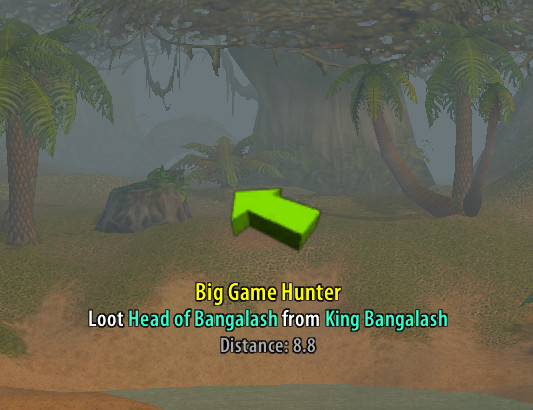
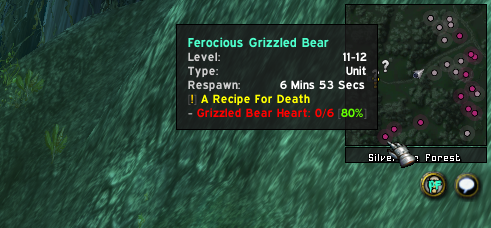
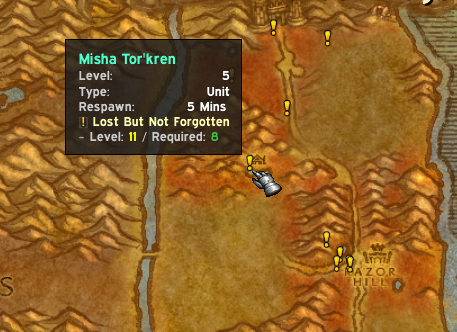
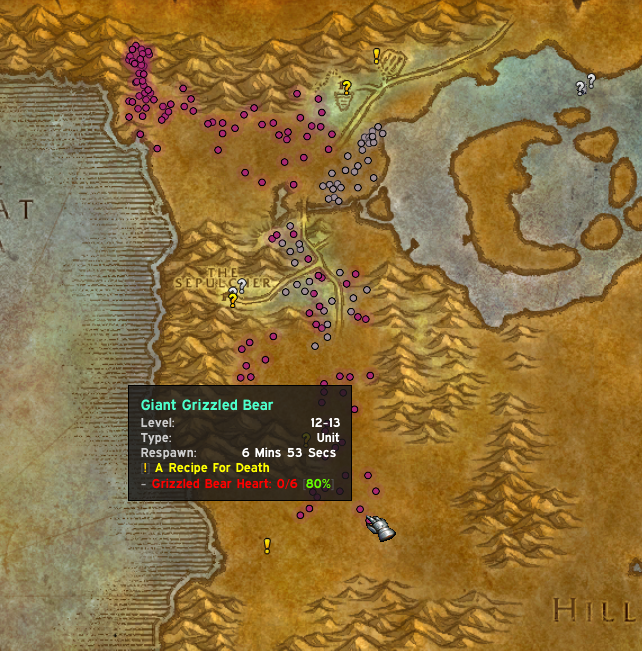
Quest objectives, spawn points, and points of interest are plotted directly on the world map and minimap. The directional arrow (top left) points toward your nearest active objective and updates as you move. Nodes are color-coded by type and quest state — available quests, objectives in progress, and turn-in locations each use distinct icons.
Auto-Tracking
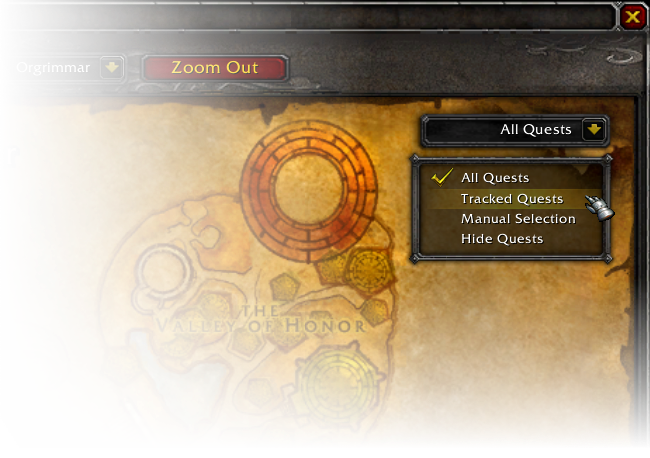
pfQuest supports four tracking modes that control how quest objectives are shown on the map. The active mode is selected from the dropdown menu in the top-right corner of the world map.
All Quests
Every quest in your log is automatically shown and updated on the map. This is the default mode.
Tracked Quests
Only quests you have manually tracked via Shift-Click in the questlog are shown and updated.
Manual Selection
Only quests you have explicitly shown using the Show button in the questlog are displayed. Completed objectives are still automatically removed from the map.
Hide Quests
Same as Manual Selection, but quest givers are also hidden and completed objectives remain on the map. This mode makes no changes to existing map nodes.
Database Browser
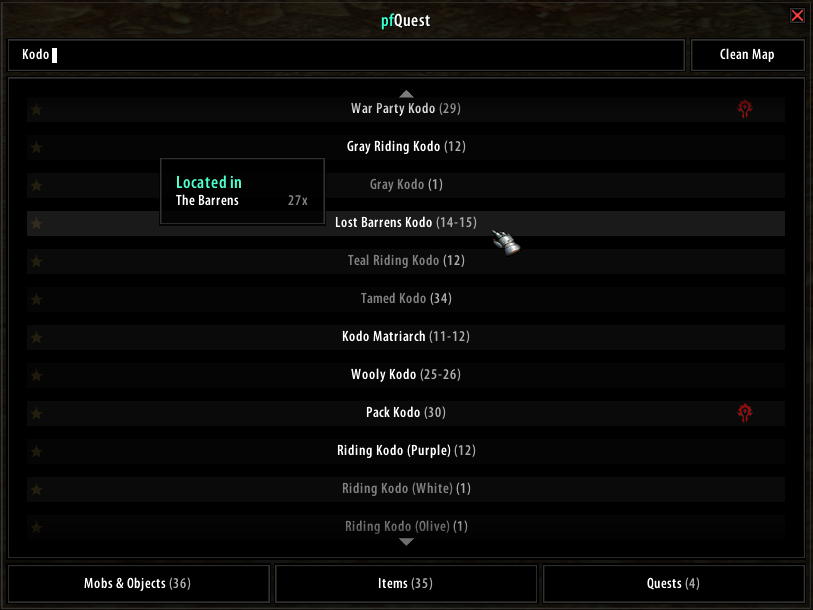
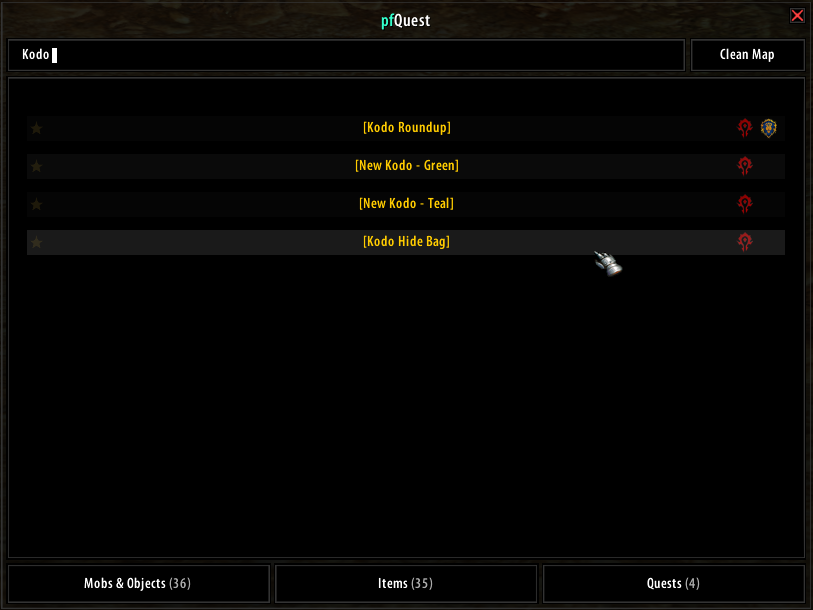
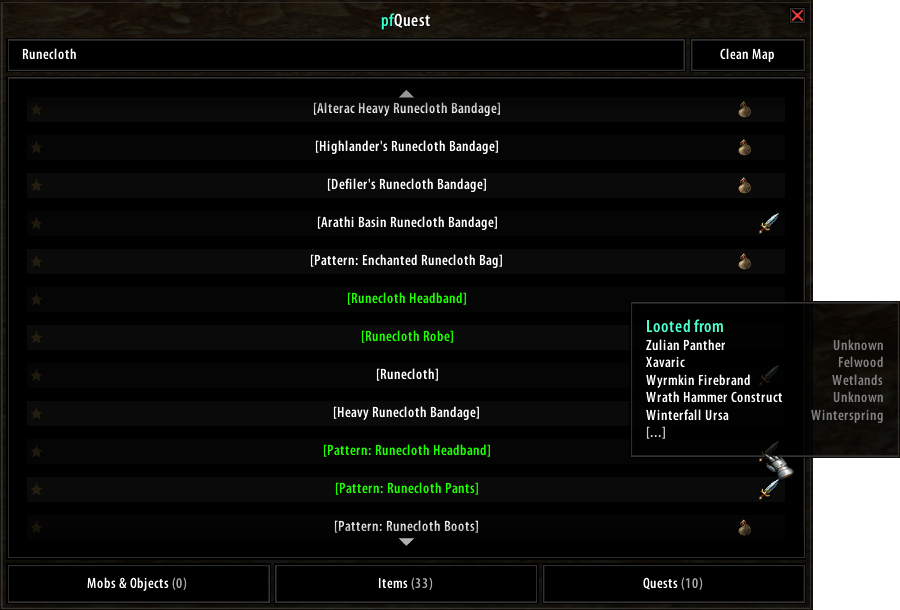
The database browser lets you search and bookmark units, game objects, items, and quests from the full pfQuest database. Open it by clicking the pfQuest minimap icon or with /db show. Each tab shows up to 100 results — use the scroll wheel or the up/down arrows to navigate. If an entry is marked with [?], that object or unit is not currently available on your realm.
Questlog Integration
Questlinks
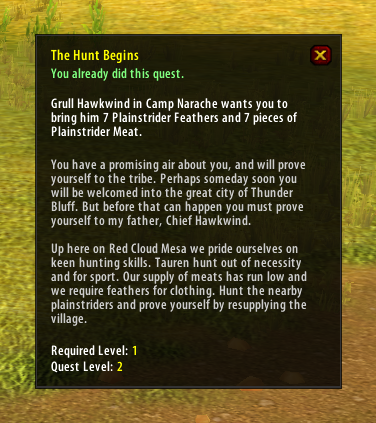
On servers that support questlinks, Shift-clicking a selected quest in the questlog inserts a clickable questlink into chat. These links are compatible with those produced by ShaguQuest, Questie, and QuestLink. Links sent between pfQuest users are locale-independent and use the Quest ID directly.
Some servers (e.g. Kronos) block questlinks entirely. In that case, disable the questlink feature in the pfQuest settings and the quest name will be inserted as plain text instead.
Hovering a questlink displays a tooltip showing your current progress, the objective text, the full quest description, the suggested level, and the minimum required level.
Questlog Buttons
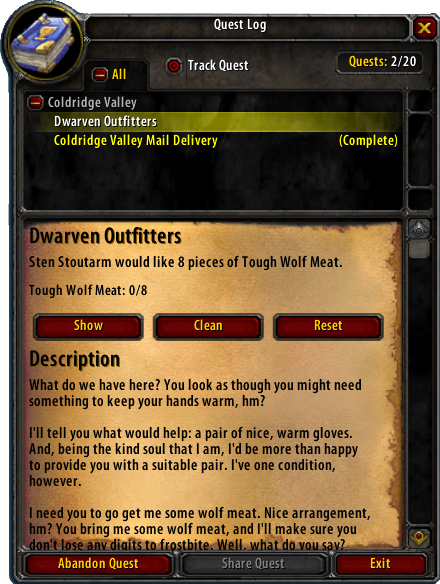
Each quest in the questlog has four additional buttons for manual map control. These buttons only affect nodes placed by pfQuest's quest tracking — they do not touch anything you have placed manually through the database browser.
Show — Adds the quest objectives for the selected quest to the map.
Hide — Removes the selected quest from the map.
Clean — Removes all nodes placed by pfQuest from the map.
Reset — Restores the default node visibility to match the current auto-tracking mode (e.g. re-shows all quests if the mode is set to "All Quests").
Chat / Macro CLI
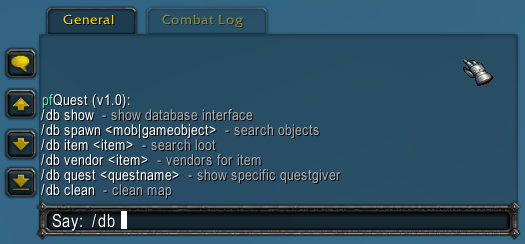
All pfQuest features are accessible from chat or macros using /db. For example, /db object Iron Deposit plots all Iron Deposit locations on the map, and /db track mines 150 225 shows only mines that require a Mining skill between 150 and 225. The commands /shagu, /pfquest, and /pfdb are all aliases for /db.
General
/db lock                Lock/unlock the map tracker position
/db tracker             Show the map tracker
/db journal             Show the quest journal
/db arrow               Toggle the quest arrow
/db show                Open the database browser
/db config              Open the settings panel
/db locale              Display the active addon locales
/db scan                Scan the server for custom items
/db debug               Toggle debug output
Questing
/db reset               Reload all quest nodes on the map
/db query               Query the server for completed quests
/db clean               Remove all database search results from the map
Database Search
/db unit <name>         Find spawn locations for a unit (e.g. Thrall)
/db object <name>       Find locations for a game object (e.g. Iron Deposit)
/db item <name>         Find units and objects that drop an item (e.g. Runecloth)
/db vendor <name>       Find vendors that sell a specific item (e.g. Jagged Arrow)
/db quest <name>        Search for a quest by name
Tracking Lists
Tracking lists let you pin all instances of a category on the map at once.
/db track               Show all available tracking lists
/db track clean         Remove all tracked list nodes from the map
/db track <list>        Show all objects in <list> on the map
/db track <list> clean  Remove all objects in <list> from the map
The mines and herbs lists support an optional skill range and an auto shortcut that uses your current skill level:
/db track mines         Show all mines
/db track mines auto    Show mines within your current skill range
/db track mines 50 150  Show mines requiring skill 50–150
/db track mines clean   Remove all mine nodes from the map
Available tracking lists: auctioneer, banker, battlemaster, chests, fish, flight, herbs, innkeeper, mailbox, meetingstone, mines, rares, repair, spirithealer, stablemaster, vendor
Credits
Original pfQuest authors: Shagu and txtsd. Original Turtle extension: Shagu, with contributors listed in the addon TOC. Rivi maintains these forks and contributes features, database corrections, and HearthDB integration.