Found a nice little addon called WindowToggle that's handy for anyone who waits in BG queues, hops between game screens, likes to multitask or just wants WoW in a corner while doing something else.
What it does:
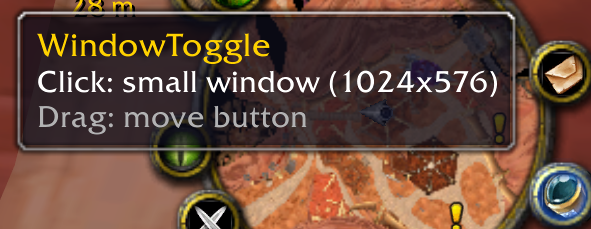
- Adds a small button to your minimap.
- Left-click switches the game between a maximised window and a small window.
- Right-click lets you pick the small window size from a menu.
- Drag moves the button anywhere around the minimap.
- The small window matches your screen's shape (16:9, 16:10 or ultrawide), so your UI just scales down and nothing moves out of place.
Commands:
- /wt size 1280x720 sets a custom small window size
- /wt size auto goes back to the default
- /wt list shows which sizes your client accepts
- /wt reset puts the button back if you lose it
Unzip it, put the WindowToggle_Raccoonbox folder into your Interface/AddOns folder and restart the game.
The same repository also holds add-ons like HideButtons: hover over any minimap button, type /hidebtn, and it's gone for good. I don't use the pirate radio, so I hid it. There are a few more addons there too, check them out on GitHub.