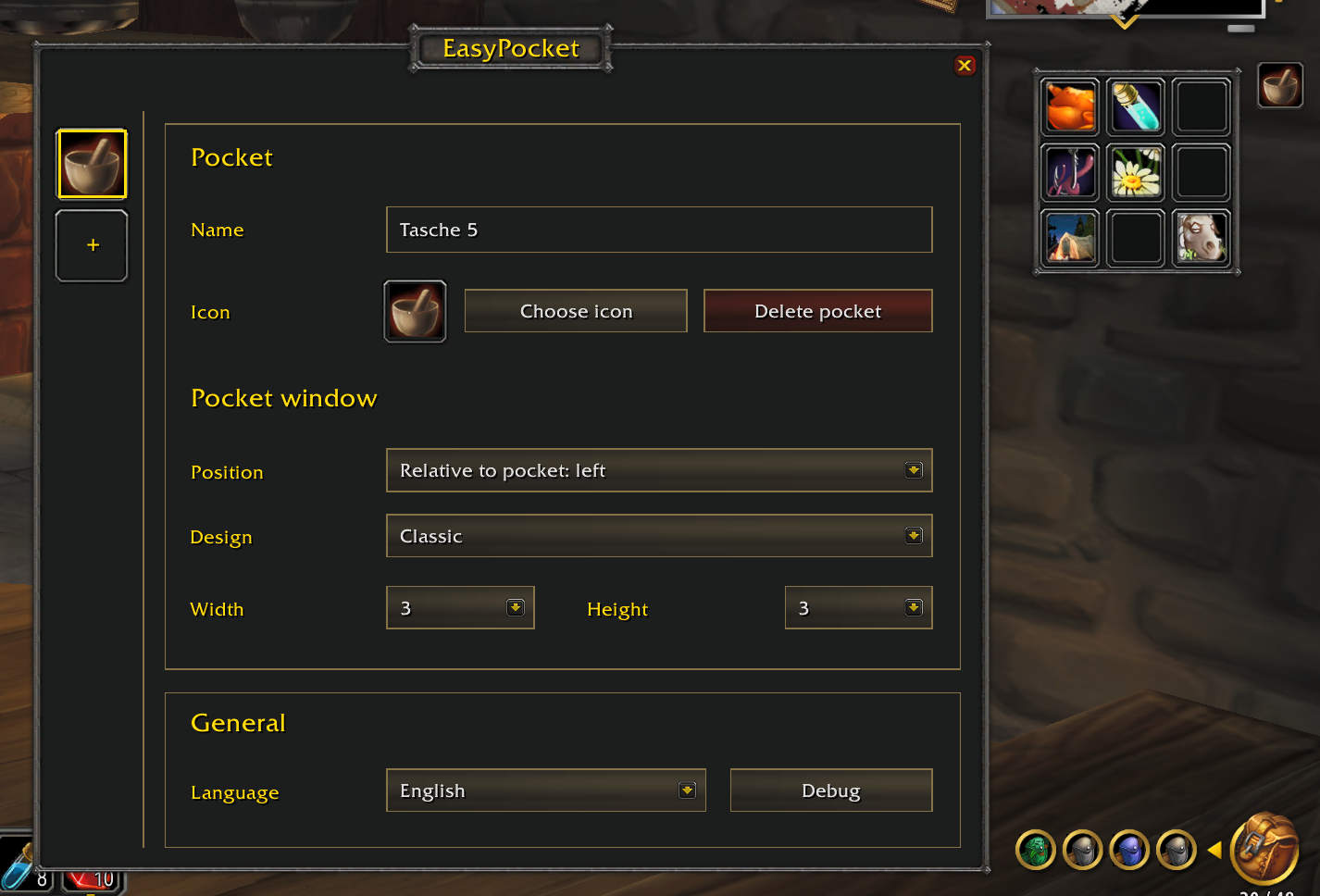
Another addition to the Easy addon family: EasyPocket.
Like EasyCast and EasyThreat, the idea is to keep the interface minimal while leaving more room for the world itself. Action bars tend to fill up with spells and shortcuts you want nearby but don’t need visible all the time.
EasyPocket lets you group them into small, configurable pockets. Place a pocket icon on your action bar, click it to open its contents, and click a spell to cast it.
What can you put in a pocket?
- Spells dragged directly from your spellbook. Say all your crafting icons grouped in one pocket.
- Equipment shortcuts, such as your fishing pole or regular weapon. Clicking equips the item outside combat; the actual item stays in your inventory or equipment slots.
- Pets you might need quickly.
Features
- Multiple pockets, each with its own name and icon.
- Freely arranged contents, with gaps and duplicate shortcuts allowed.
- Separate width and height settings, from 2×2 to 5×5.
- Movable windows, locked positions, or positioning relative to the action-bar icon.
- Three visual styles, including a classic WoW look and a pfUI-inspired option.
- Settings saved separately for each character.
- Eight menu languages.
- No dependency on the other Easy addons, pfUI, or SuperWoW.
Getting started
Install through the OctoWoW launcher using:
https://github.com/edwinvancleef577/EasyPocket.git
Open the menu with /ep or the minimap icon. Click + to create a pocket, drag its icon onto your action bar, then fill the pocket directly from your spellbook or inventory.
This is still an early release, and feedback from actual gameplay is very welcome—especially on drag-and-drop behavior and compatibility with different UI setups. If something goes wrong, the menu includes a Debug window.
Repository, instructions, and issue reports:
https://github.com/edwinvancleef577/EasyPocket