
pfUI
An AddOn for World of Warcraft (1.12.1), mostly known as "Vanilla", which aims to be a full replacement for the original interface. The design is highly inspired by TukUI and ElvUI, bringing modern features and a minimalistic style that's easy to use right from the start. It is entirely written from scratch without any inclusion of third-party addons or libraries.
This is not an addon-pack like ShaguUI, however, there will be support for external addons like MobHealth3 and HealComm, but they will never be shipped within the package.
Please do not re-upload or distribute outdated versions of this project. However, you are more than welcome to fork or link to the official gitlab page.
Screenshots
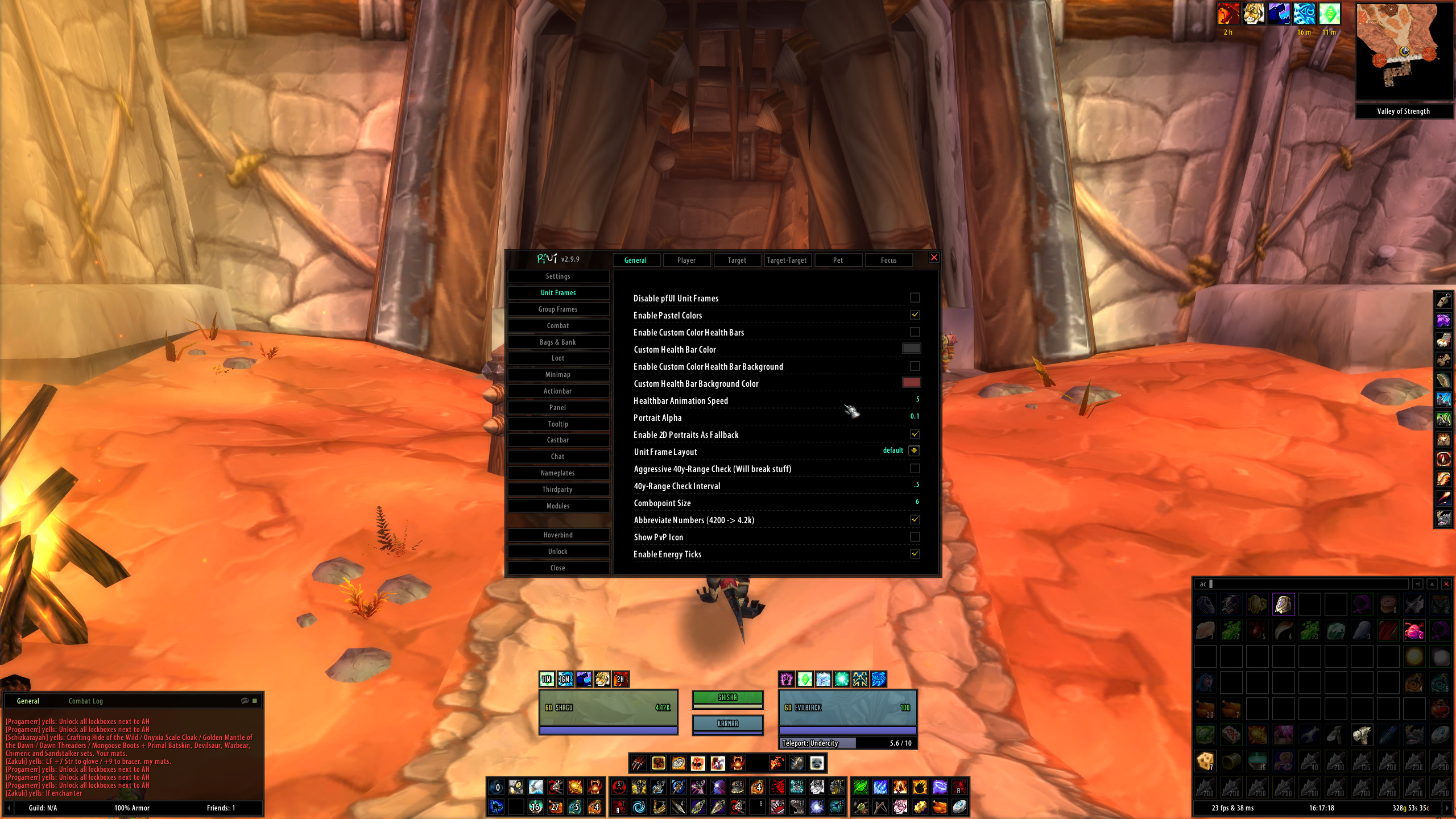
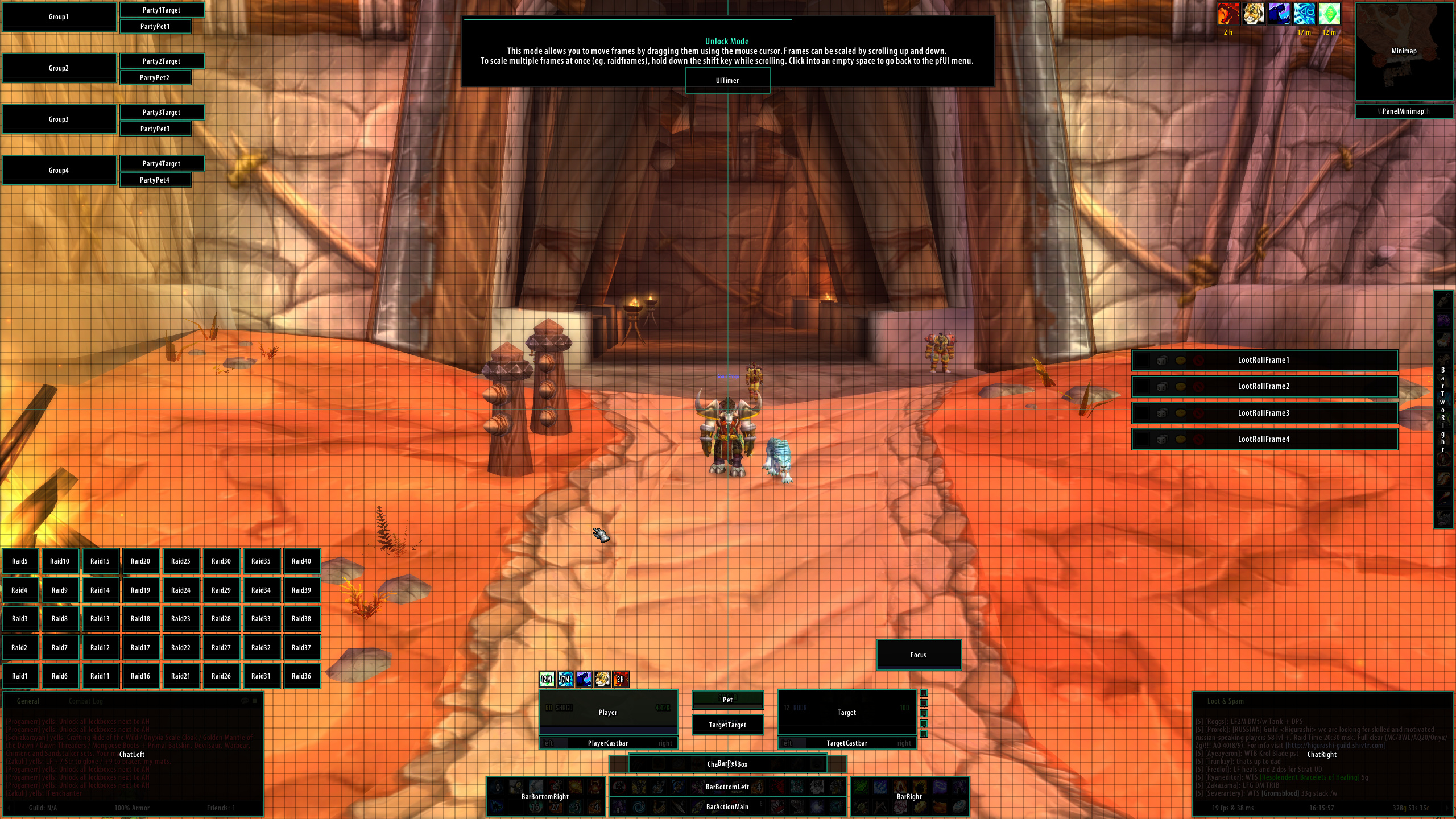
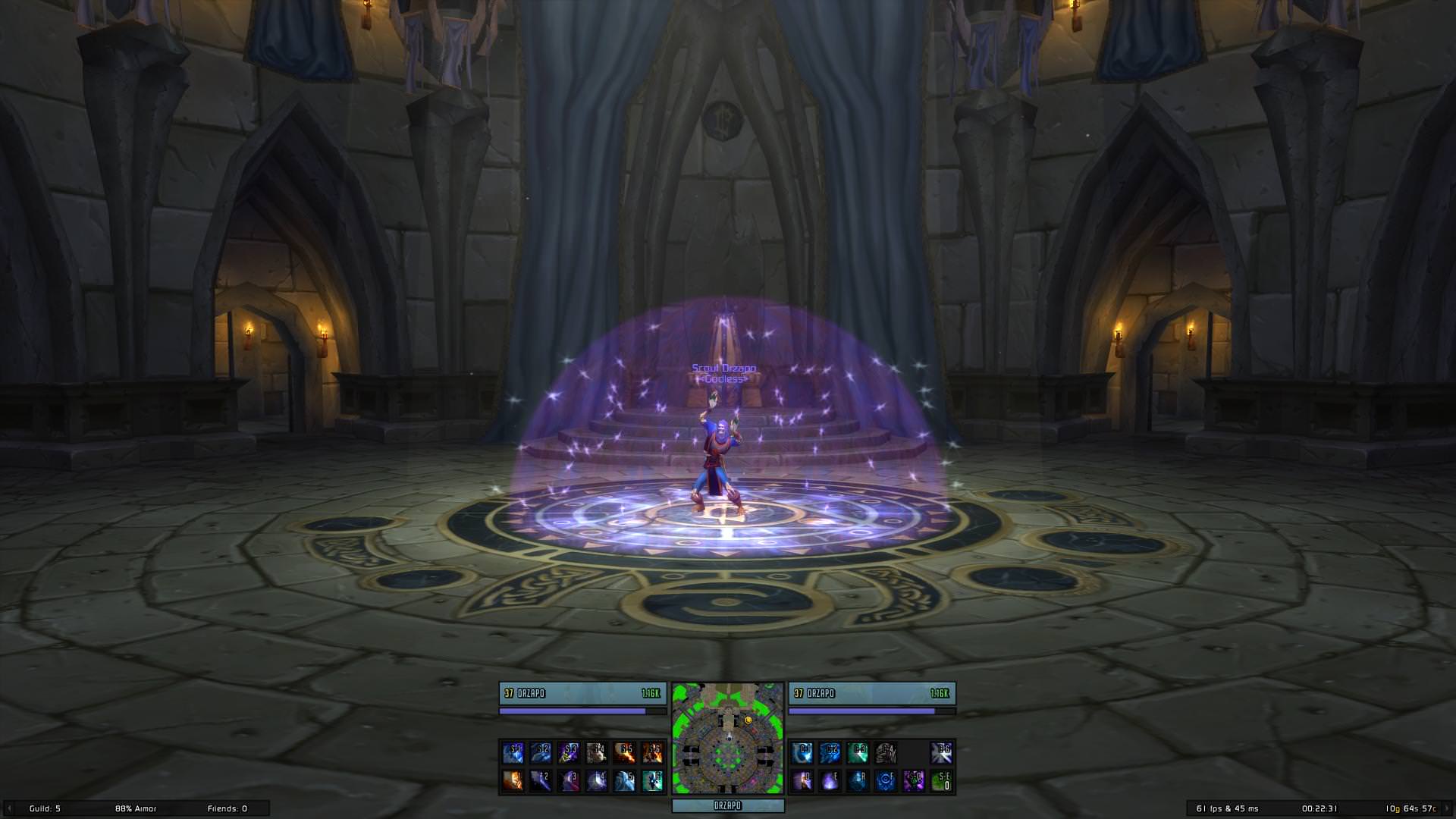
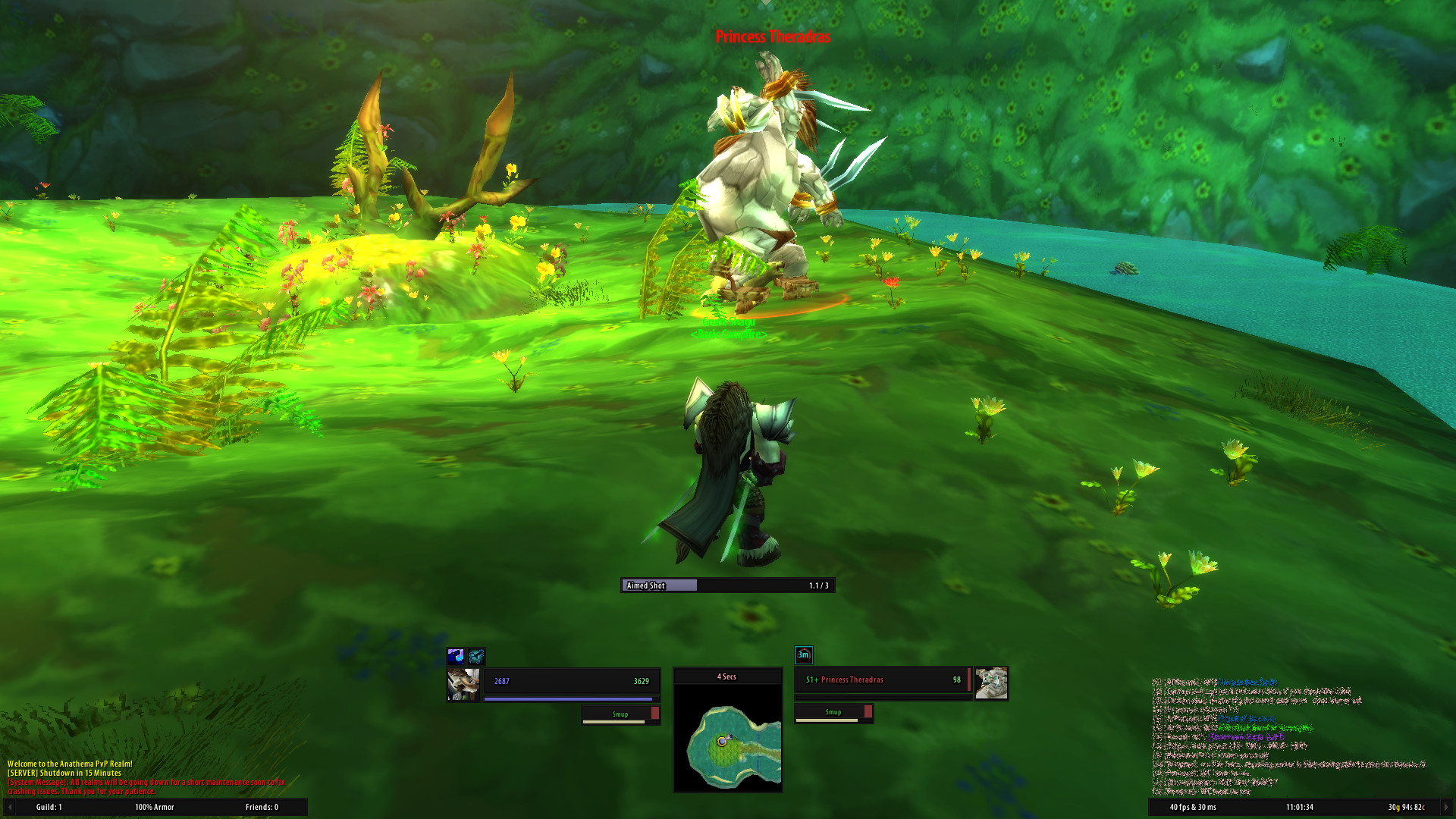
Installation
- Download Latest Version
- Unpack the Zip file
- Rename the folder "pfUI-master" to "pfUI"
- Copy "pfUI" into Wow-Directory\Interface\AddOns
- Restart Wow
Commands
/pfui         Open the configuration GUI
/share        Open the configuration import/export dialog
/gm           Open the ticket Dialog
/rl           Reload the whole UI
/farm         Toggles the Farm-Mode
/pfcast       Same as /cast but for mouseover units
/focus        Creates a Focus-Frame for the current target
/clearfocus   Clears the Focus-Frame
Languages
pfUI supports and contains language specific code for the following gameclients.
- English (enUS)
- Korean (koKR)
- French (frFR)
- German (deDE)
- Chinese (zhCN)
- Spanish (esES)
- Russian (ruRU)
Recommended Addons
- pfQuest A simple database and quest helper
- HealComm Visual representation of incoming heals
- WIM, WIM (continued) Give whispers an instant messenger feel
- MobHealth3 Estimates a mob's health
Plugins
- pfUI-eliteoverlay Add elite dragons to unitframes
- pfUI-fonts Additional fonts for pfUI
- pfUI-CustomMedia A font and texture package
FAQ
What does "pfUI" stand for?
The term "pfui!" is german and simply stands for "pooh!", because I'm not a
big fan of creating configuration UI's, especially not via the Wow-API
(you might have noticed that in ShaguUI).
Is there a discord channel?
Yes there is one: Discord Invite
How can I donate?
You can't. I'm doing this for fun. Enjoy!
How do I report a Bug?
Please provide as much information as possible in the Bugtracker.
If there is an error message, provide the full content of it. Just telling that "there is an error" won't help any of us.
Please consider adding additional information such as: since when did you got the error,
does it still happen using a clean configuration, what other addons are loaded and which version you're running.
When playing with a non-english client, the language might be relevant too. If possible, explain how people can reproduce the issue.
How can I contribute?
Report Errors, Issues and Feature Requests in the Bugtracker.
Please make sure to have the latest version installed and check for conflicting addons beforehand.
Can I use Clique with pfUI?
A pfUI compatible version of Clique can be found Here. If you want to keep your current version of Clique, you'll have to apply this Patch.
Why do I see player names instead of linked items?
That's a conflict with prat. You'll have to either disable Prat's class colors by typing /prat playernames toggle or disable pfUI's class colors within the settings dialog. The entry can found in the chat section: Enable Class Colors.
How do I show the Damage- and Threatmeter Dock?
If you enabled the "dock"-feature for your external (third-party) meters such as DPSMate or KTM, then you'll be able to toggle between them and the Right Chat by clicking on the ">" symbol on the bottom-right panel.
Why is my chat always resetting to only 3 lines of text?
You need to disable the "Simple Chat" in blizzards interface settings (Advanced Options). Then relog and reset/run the firstrun wizard again.
How can I enable mouseover cast?
Create a macro with "/pfcast SPELLNAME". If you also want to see the cooldown, You might want to add "/run if nil then CastSpellByName("SPELLNAME") end" on top of the macro.
Everything from scratch?! Are you insane?
Most probably, yes.